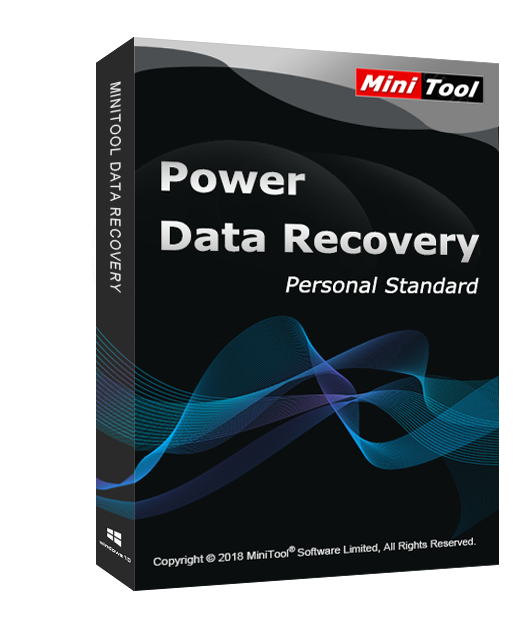
MiniTool Power Data Recovery Personal Standard Key Global
9,786.00JPY
17,758.00JPY
MiniTool Power Data Recovery is an all-inclusive, reliable and free data recovery solution for PCs and servers. It can help users to recover lost data from OS crash, virus attack, partition loss, hard drive corruption, deletion, formatting and other data loss cases. And during data recovery, it won't bring any damage to users' original data. Besides, it can make urgent data recovery work as easy as just a few clicks away, no file recovery experience is required.
Main Features
Deleted file recovery
RAW hard drive recovery
Lost/formatted/damaged partition recovery
Digital device/memory card/ USB flash drive recovery
Win Dynamic disk volume and RAID recovery
Load previous scan/recovery result
System Requirements
486 or Pentium-class processor
IDE/SCSI hard drive
At least with x86 CPU
64MB RAM (128 MB recommended)
100 MB free disk space minimally
Supported Operating System
Win XP/Vista/7/8/8.1/10
Supported File Systems
FAT12, FAT16, FAT32, VFAT, NTFS, NTFS5 and ISO9660, Joliet, UDF File system.
MiniTool Power Data Recovery also allows you to create a bootable media to restore lost or deleted files when a computer fails to boot. And it can recover all types of files.
The activation code is the "1-Year Upgrade" license, which supports 1 PC with version upgrade protection. In such case, you need not to pay additional fee to upgrade the current version to each later version within 1 year.
Download, Install and Register
You can download MiniTool Power Data Recovery Personal Standard via the link:
https://www.minitool.com/download/pdr81/pdr81-trial.exe
To install MiniTool Power Data Recovery Personal Standard:
Run the setup program -> Accept License Agreement -> Select destination location -> Follow the installation guide -> Finish
Online Registration
After installing and launching MiniTool Power Data Recovery Personal Standard, click on the “Register” icon at the top right hand corner of the software. At this time, you need to copy the activation code you received and paste it into the text box, then press Activate. By doing these, you have finished online registration.
Notes
For a successful registration, please make sure no blank is left in any location of the activation code.
1. 購入後、どれくらいでキーを受け取れますか?どこで確認できますか?
キーは購入から3〜5分以内に自動で配信されます。「購入履歴」ページからご確認いただけます。
2. キーが有効化できない場合はどうすればよいですか?
キーが有効化できない理由はいくつか考えられます。最も一般的な原因は、ご利用中のPCのシステムと購入されたキーの種類が互換性がないことです。
まずは、お使いのシステムバージョン(例:Windows Pro)が、キーの要件に合っているかをご確認ください。
一致しない場合は、24時間対応のオンラインカスタマーサポートにご連絡ください。迅速にキーの交換をサポートいたします。
3. 返金または交換を希望する場合はどうすればよいですか?
返金または交換を希望される場合は、24時間対応のカスタマーサポートにご連絡のうえ、以下の情報をご提供ください:
• ご注文番号
• 関連するスクリーンショット(例:エラーメッセージ、購入明細など)
できるだけ早く対応させていただきます。
4. 返金にはどれくらいの時間がかかりますか?
PayPalをご利用の場合は即時返金されます。
銀行振込やクレジットカードの場合は、返金完了までに通常7~10営業日かかります(銀行や地域のポリシーにより異なります)。
返金状況についてご不明な点があれば、いつでもサポートまでご連絡ください。
5. 返品と交換について
購入後180日以内にライセンスを必ずアクティベートしてください。この期間中に問題が発生した場合は、無料でキーの再発行が可能です。
STEAM
PC